
How the OnStation and TransTech Integration Removes Manual Steps from Density Testing
On every paving project, density testing is one of the most critical, and historically one of the most time‑consuming, parts of quality control. Technicians collect readings, track down station markers, jot notes in the field, walk back to the truck, enter data into spreadsheets, and email results to the team. It’s a workflow full of friction, manual steps, and opportunities for error.
The integration between TransTech Connect and OnStation changes that completely.
By linking TransTech’s PQI devices with OnStation’s location‑based project intelligence, contractors and inspectors get a fully automated, station‑accurate record of every density test, without manual entry, without searching for markers, and without bouncing between apps in the field.
Instant Data Transfer From the Field, No Manual Steps Required
The integration supports all TransTech PQI 380 models, with two simple transfer paths:
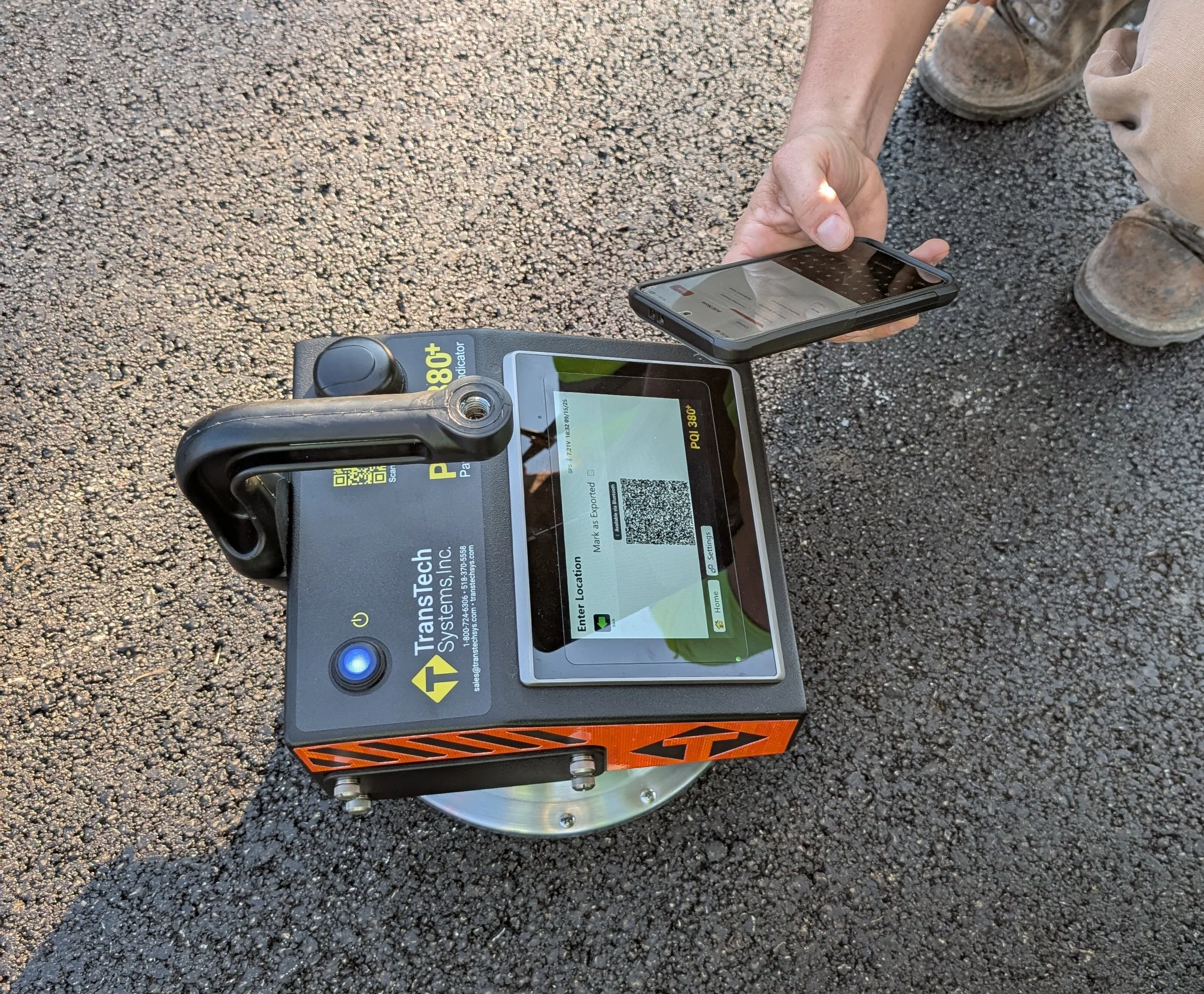
PQI 380+ transfers data instantly via QR code using the Connect mobile app.
Other PQI 380 models transfers via USB to a PC running the Connect app.
Both methods send data directly into the OnStation Portal, where the real magic happens.
Once the data arrives, OnStation automatically adds precise station alignment to each test. Every density reading becomes a location‑based record. Each record carries the station offset, date, time, and temperature.
No typing. No spreadsheets. No transcription errors.
A Faster, Safer Workflow for QC Teams
This integration eliminates the most painful parts of density testing:
No wandering the alignment searching for station markers
No end‑of‑day data entry in the truck
No emailing spreadsheets to the office
No risk of mislabeled or misplaced tests
Instead, technicians simply take readings on the PQI device, transfer them through TransTech Connect, and the results appear instantly under the Density Test tab in the OnStation Portal.
This creates a single source of truth for the entire project team: inspectors, contractors, project managers, and DOT personnel.
Better Data, Better Traceability, Better Decisions
With every test automatically tied to its exact location, the integration delivers:
Full traceability for all density testing
Cleaner documentation for audits and closeout
Improved chain of custody with zero manual entry
Immediate visibility for anyone with portal access
Fewer errors and fewer missing or mislabeled tests
This is quality control without the administrative burden.
Setup Takes a Few Minutes
Connecting TransTech and OnStation takes just a few clicks:
In the OnStation Portal, go to Integrations and generate an API key.
Paste that API key into TransTech Connect.
Start sending test locations from TransTech to OnStation, either through the web app or the PQI 380+ mobile app.
Once linked, the process is fully automated. Every test you send appears instantly in OnStation with complete location intelligence. While onboarding sessions are available, most users don’t need one.
A Fully Connected Workflow for Modern Paving Projects
By combining TransTech’s trusted density testing hardware with OnStation’s precise digital stationing, this integration delivers:
Faster testing
Cleaner data
Safer field operations
Reduced administrative workload
Better communication across the entire project team
It is a faster, cleaner way to manage compaction and density testing, built for the realities of today’s roadway projects.
Learn more or schedule a 15 minute demo.